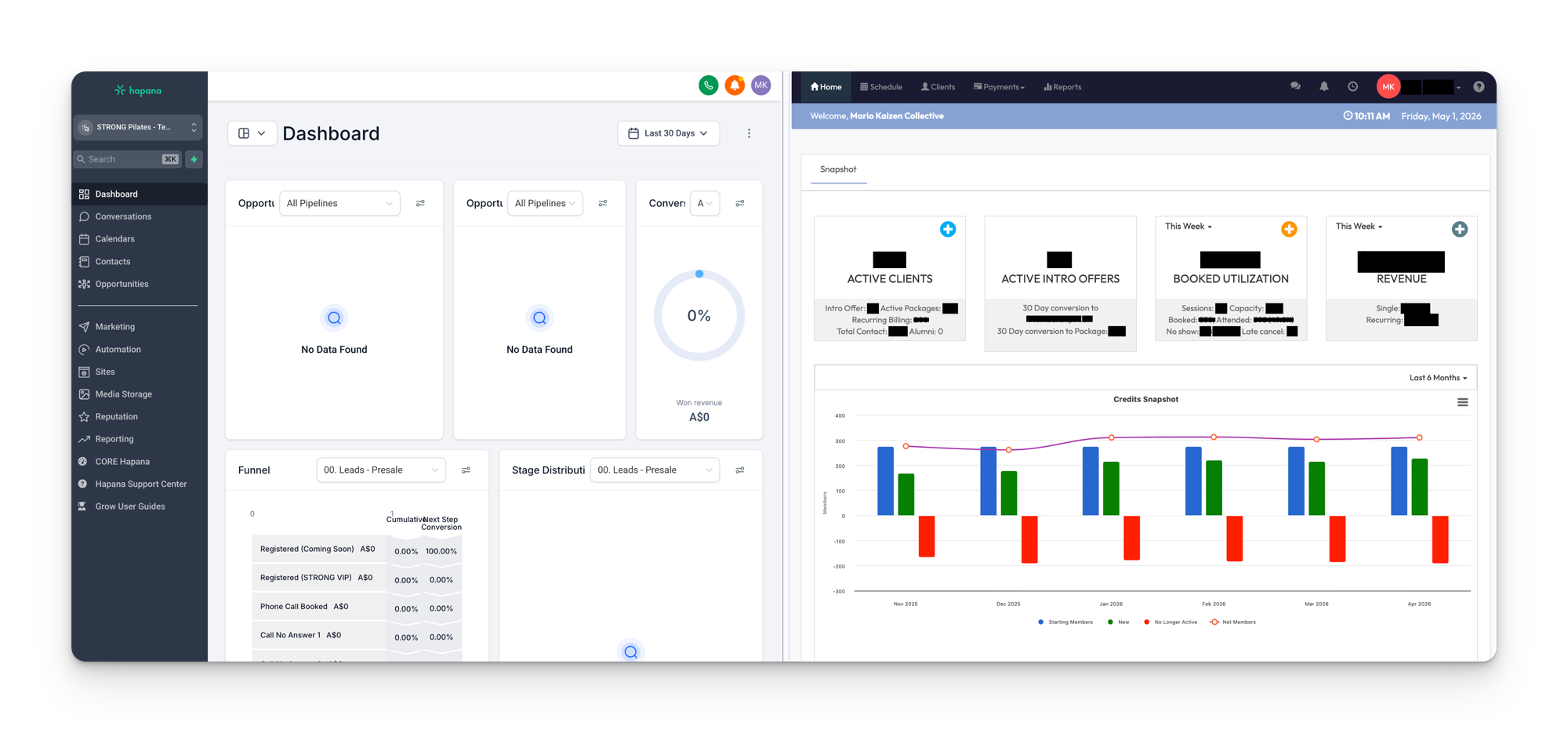
STRONG Pilates runs on two platforms that work together: Hapana Core and Hapana Grow. They serve completely different purposes, and understanding the split is essential before touching anything in either system.
Hapana Core
Core is the member management platform. It is the operational backbone of every studio, and the system that studio staff interact with daily to run their business.
Core handles:
- Memberships and packages (creating, modifying, suspending, cancelling)
- Class scheduling and timetables
- Member check-ins and attendance tracking
- Billing and payment processing
- Retail and point-of-sale
- Staff and trainer management
Hapana Grow
Grow is the CRM and marketing platform. It is the communication and automation layer. This is where leads get nurtured, campaigns run, and the customer journey gets tracked.
Grow handles:
- Lead capture and contact records
- SMS and email communication
- Pipelines (visual journey tracking)
- Workflows (automated sequences and actions)
- Campaign management and promotional rollouts
- Conversations inbox (unified view of all comms)
The simple rule
Quick mental model
If it involves a membership, booking, class, or payment, that’s Core.
If it involves a message, pipeline stage, workflow, or campaign, that’s Grow.
Where it gets tricky
The two systems sync data between each other. When someone purchases an intro offer in Core, that information flows into Grow and triggers workflows. When a lead fills out a form in Grow, their contact record exists in both places.
This sync is powerful but also where most issues come from. A contact might show one status in Core and a different one in Grow if the sync hasn’t caught up, or if a field didn’t map correctly.
The next section covers exactly how this integration works, what fields sync, and what to watch out for.
Common mistake
When someone says “Hapana” without specifying which one, always clarify. “Check Hapana” could mean either system, and looking in the wrong one wastes time.
Side by side
| Core | Grow | |
|---|---|---|
| Purpose | Studio operations | CRM and marketing |
| Used by | Studio staff daily | Kaizen team + studio managers |
| Manages | Memberships, classes, billing | Leads, comms, automations |
| Built on | Hapana’s platform | Hapana Grow |
| Contact source | Members with active packages | All contacts (leads + members) |